Your Drone Certificate, Always on Your Wrist and in Your Pocket
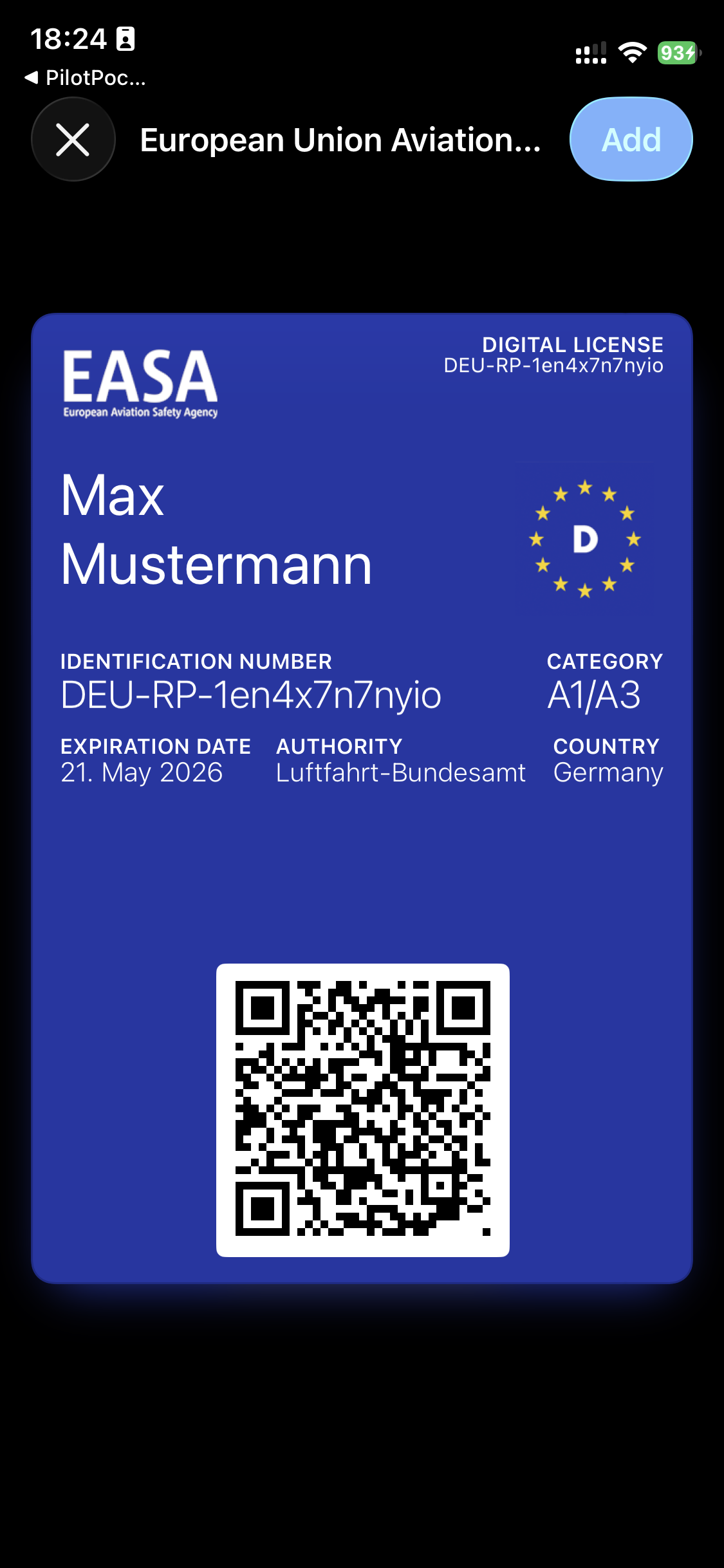
EU drone regulations require pilots to carry proof of competency during flights. Traditionally, that means a printed PDF or screenshot buried somewhere in your photo library. PilotPocket changes this by generating a proper Apple Wallet pass from your EASA certificate data.
The pass sits right alongside your boarding passes and credit cards in the native Wallet app. Double-click the side button on your iPhone or Apple Watch, and your drone license is right there. No unlocking, no searching, no fumbling during an inspection.
How It Works
Getting your certificate into Apple Wallet takes under a minute:
- Open PilotPocket and tap "Add Certificate"
- Enter your certificate number, pilot name, and certificate type — or scan the QR code on your official EASA document
- Review the details and tap "Add to Apple Wallet"
- The pass is generated server-side in seconds, signed with Apple's PassKit framework, and pushed directly to your Wallet
After generation, the pass lives on your device. You never need to open PilotPocket again just to show your license. It works on iPhone, and if you have an Apple Watch, it syncs there automatically.
Works Completely Offline
Drone pilots often fly in remote locations with poor or no cellular coverage — open fields, mountain areas, rural farmland. Your Apple Wallet pass does not need internet to display. Once generated, it is a local file on your device, accessible anytime and anywhere.
This is a critical advantage over apps that require you to log in or sync before showing your credentials. With PilotPocket's wallet pass, your license is always available, even in airplane mode.
Supported Certificates
PilotPocket supports the three certificate types that cover nearly all EU drone operations:
- A1/A3 (Open Category) — The basic competency certificate required for all drone pilots flying in the Open category. Obtained through an online exam at your national aviation authority.
- A2 (Open Category) — The remote pilot competency certificate that allows flight closer to people. Requires additional training and a practical self-study examination.
- STS (Specific Category) — Standard Scenario certificates for operations that go beyond the Open category, such as flying in urban areas or beyond visual line of sight under approved scenarios.
Privacy-First Design
Your certificate data is sent to PilotPocket's servers only for the brief moment needed to generate the signed Apple Wallet pass. It is not stored, not logged, and not shared with any third party. The pass file is delivered directly to your device, and the server forgets about it immediately. No accounts, no tracking, no analytics on your personal data.
Get Your Drone License in Apple Wallet
Download PilotPocket and add your EASA certificate to Apple Wallet in under a minute.
Download on the App StoreFrequently Asked Questions
Explore More Features
Drone Flight Logbook
Log every flight with date, location, and duration. Stored locally, exportable anytime.
Operator QR Tag
Generate a scannable QR tag with your operator details for EU 2019/947 compliance.
A1/A3 License Guide
Learn how to obtain your EASA A1/A3 open category drone pilot certificate.